
|
https://ift.tt/37o4BnS
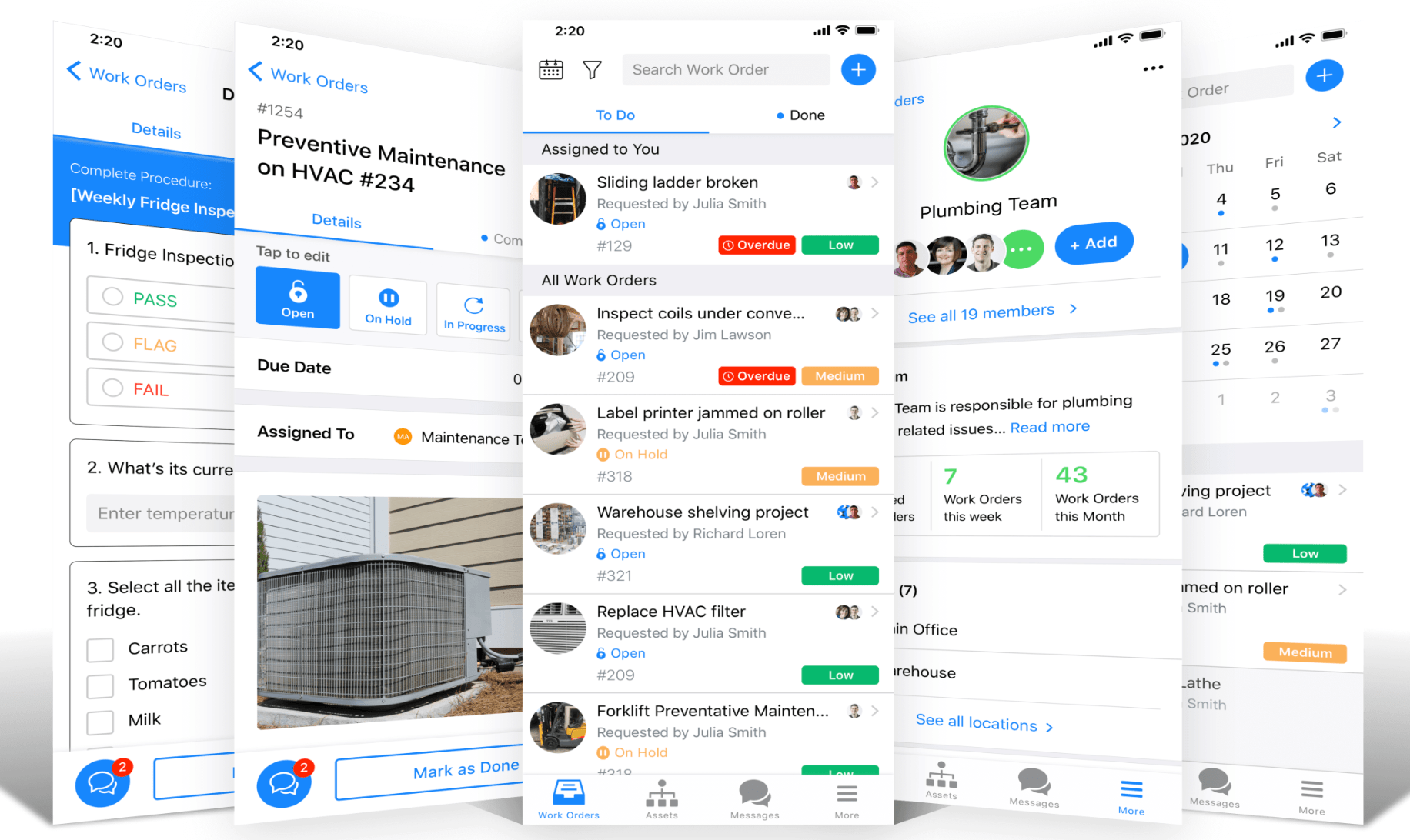
Best CMMS Software https://ift.tt/2MTOyVv Computerized maintenance management software—better known as CMMS—helps simplify the maintenance operations for various organizations. The software typically has functionalities for things like work order management, asset management, equipment management, and predictive maintenance. By leveraging this technology, businesses can maximize the lifespan and run-time of equipment while improving the efficiency of the maintenance process. Buildings, facilities, machinery, spare parts, and vehicles are all examples of assets tracked and managed with CMMS software. Without CMMS software, organizations are forced to spend more money, time, and resources on both planned and unplanned maintenance services. But by tracking assets and equipment using a computerized system, it’s much easier to plan and prevent expensive services and repairs. CMMS software allows companies, teams, and departments to improve the entire maintenance process by automating, organizing, tracking, and executing crucial tasks. The Top 8 Best CMMS SoftwareAfter researching and demoing dozens of various CMMS solutions on the market today, I’ve narrowed down the top eight for you to consider. Continue below to learn more about the features, benefits, use cases, pricing, and potential drawbacks of each one. #1 – MaintainX — Best Overall CMMS Software• Starts at $8.33 per month MaintainX is our top overall recommendation for CMMS software. The solution makes it easy for businesses to maintain facilities, equipment, safety standards, and communication within the maintenance department. MaintainX is trusted by global leaders like Hilton Hotels, McDonald’s, Marriott, and Burger King. The software is ideal for any organization that needs a way to improve the daily operations associated with managing a large number of assets. It also specializes in predictive and reactive maintenance to help keep costs low.
MaintainX is commonly used for manufacturing and industrial businesses, schools, country clubs, facilities management, and property management. The top features and benefits include:
MaintainX has functionality for asset management, inspections, inventory management, inspections, work orders, preventative maintenance, and more. Here’s a quick look at the starting prices for this software:
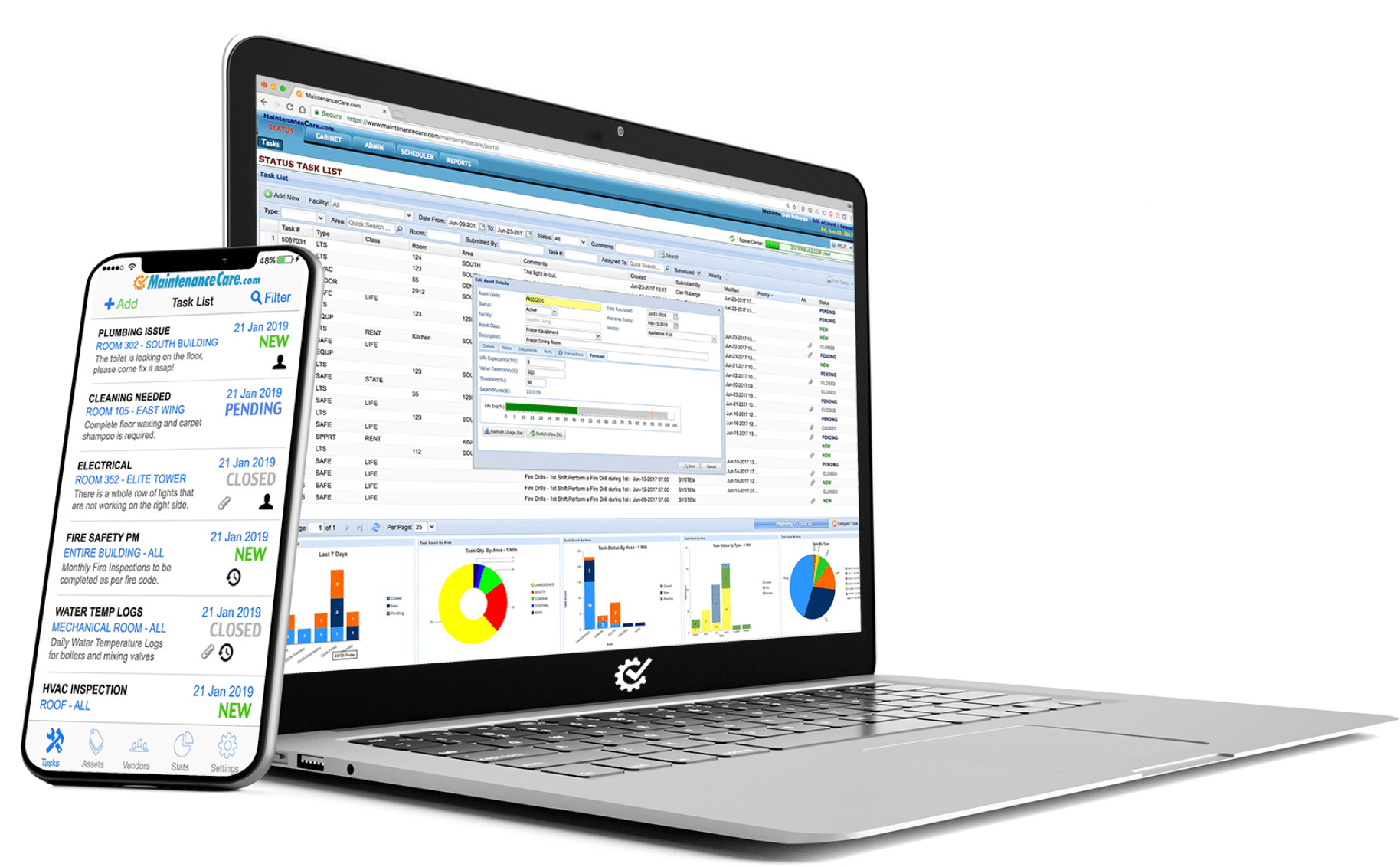
There’s also a free MaintainX plan, but with its fair share of limitations. The rates above are all based on an annual contract. Month-to-month pricing is available at a higher cost. The exceptional features, wide range of use cases, and affordable rates made MaintainX an easy choice as our top recommendation in this category. #2 – Maintenance Care — Best Free CMMS Software• Free forever plan Maintenance Care is a great solution for businesses that aren’t currently using CMMS software. If you’re using Excel spreadsheets or paper records to track work orders and maintenance management, this software is the perfect introduction to CMMS. The software is trusted by more than 30,000 users managing 10+ million assets. Cumulatively, Maintenance Care has generated over $250 million in ROI savings for its customers.
Maintenance Care delivers an exceptional list of features for things like:
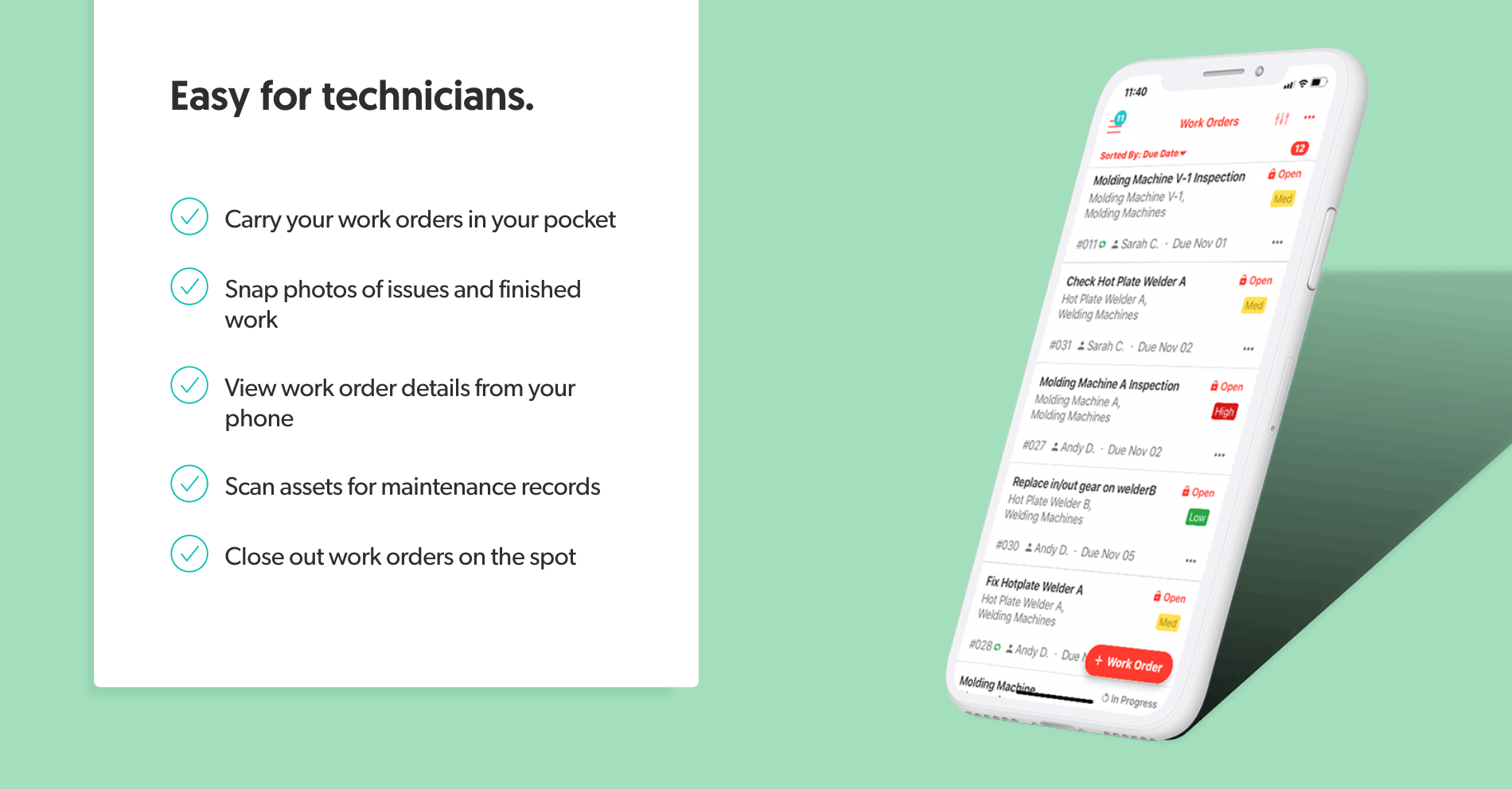
You’ll also be able to track and manage everything on the go with a free mobile app. Pricing for Maintenance Care starts at $75 per month, billed annually. The plan comes with unlimited users, multi-site support, advanced work orders, and integrated customer support. For advanced features like asset management tracking, parts and inventory, and preventative maintenance, you’ll need to contact the sales team for a custom quote. Maintenance Care has a free forever plan that’s perfect for basic use and online work order management. Without paying a dime, you’ll still benefit from features like unlimited task types, basic reporting, and automated task notifications. Overall, this robust software is versatile enough to accommodate the needs across a wide range of industries. It’s trusted by property managers, small businesses, senior care centers, government organizations, hospitality businesses, manufacturing companies, and more. #3 – UpKeep — Best CMMS Mobile App• Starts at $35 per user While most of the best CMMS software on the market today offers a mobile app, UpKeep is a mobile-first solution. By prioritizing the mobile app, UpKeep is perfect for technicians and agile maintenance teams who are always on the go. This software is a popular choice for businesses in industries like manufacturing, property management, transportation, government, education, and more. A quick search for UpKeep online will result in thousands of five-star reviews from current users.
Top features and benefits of UpKeep’s CMMS solution include:
The software also accommodates QR codes and meter readings to manage inventory and assets in the field. Again, all of this can be done directly from the UpKeep mobile app. Here’s a quick look at the pricing for UpKeep:
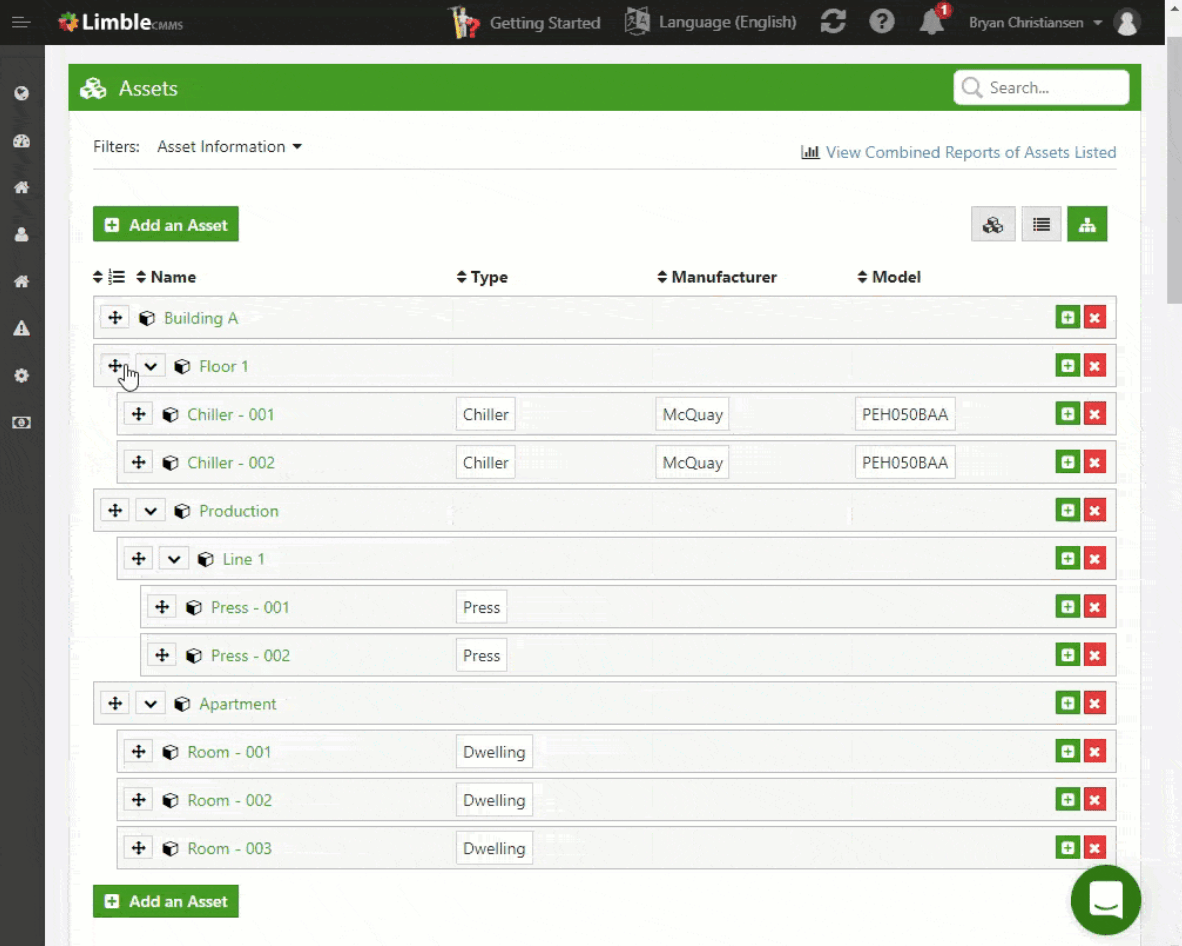
Unlike other software we’ve reviewed so far, UpKeep does not structure its plans for unlimited users. Even at the enterprise level, you’re still paying on a per-user basis, which can get expensive. With that said, the UpKeep mobile app is second to none, which is why the solution is trusted by more than 150,000 maintenance professionals worldwide. #4 – Limble CMMS — Best For Enterprise Asset Management (EAM)• Asset management at scale The terms CMMS and EAM (enterprise asset management) are often used interchangeably. However, the two types of software aren’t exactly the same thing. CMMS primarily focuses on maintenance, while EAM software is a broader and more comprehensive approach used for tracking the entire asset lifecycle. With that said, Limble CMMS has the tools you need for EAM at scale. Whether you have ten assets or 100,000 assets in your organization, the software makes it easy to track everything about those assets within a single solution. Use Limble CMMS to view detailed maintenance logs, receive real-time asset data with sensor connections, track KPIs, and find information quickly using QR codes. The software has unlimited custom search fields, so you can track whatever you want for your assets. You’ll also have the ability to organize complex assets with a parent-to-child hierarchy.
In addition to the asset management tools, Limble CMMS has features for things like:
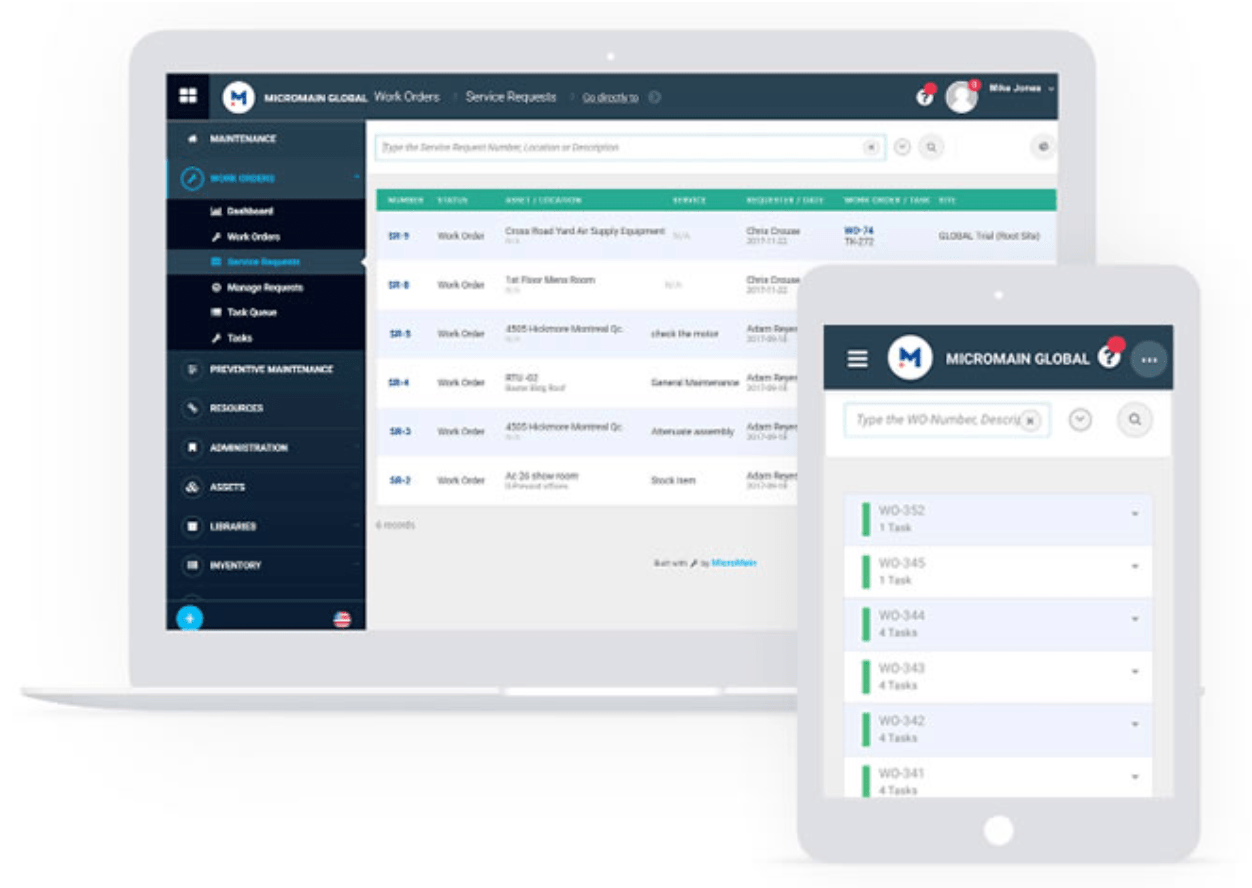
Limble CMMS has two plans; each billed on a per user per month basis. The plans cost $35 per user and $49 per user, respectively. Try either one free for 30 days. The entry-level plan is designed for smaller facilities, while the next tier is best for medium-sized teams. For larger teams and complex needs, contact Limble CMMS for custom enterprise pricing. #5 – MicroMain— Best CMMS Software Features• $89 per admin MicoMain is a powerful yet easy-to-use solution for maintenance management. It’s trusted by 10,000+ customers, including well-known names like the US Army, Anthem Blue Cross Blue Shield, Walmart, John Deere, and Harley Davidson. The software is designed to reduce maintenance costs, prevent downtime, and increase the lifespan of your assets.
Out of the box, MicoMain is the most feature-rich software that we’ve seen. It has all of the standard CMMS features that you’d expect, like work order management, asset management, preventative and predictive maintenance, parts and inventory management, workforce management, and QR code enablement. But you’ll also benefit from additional features, including:
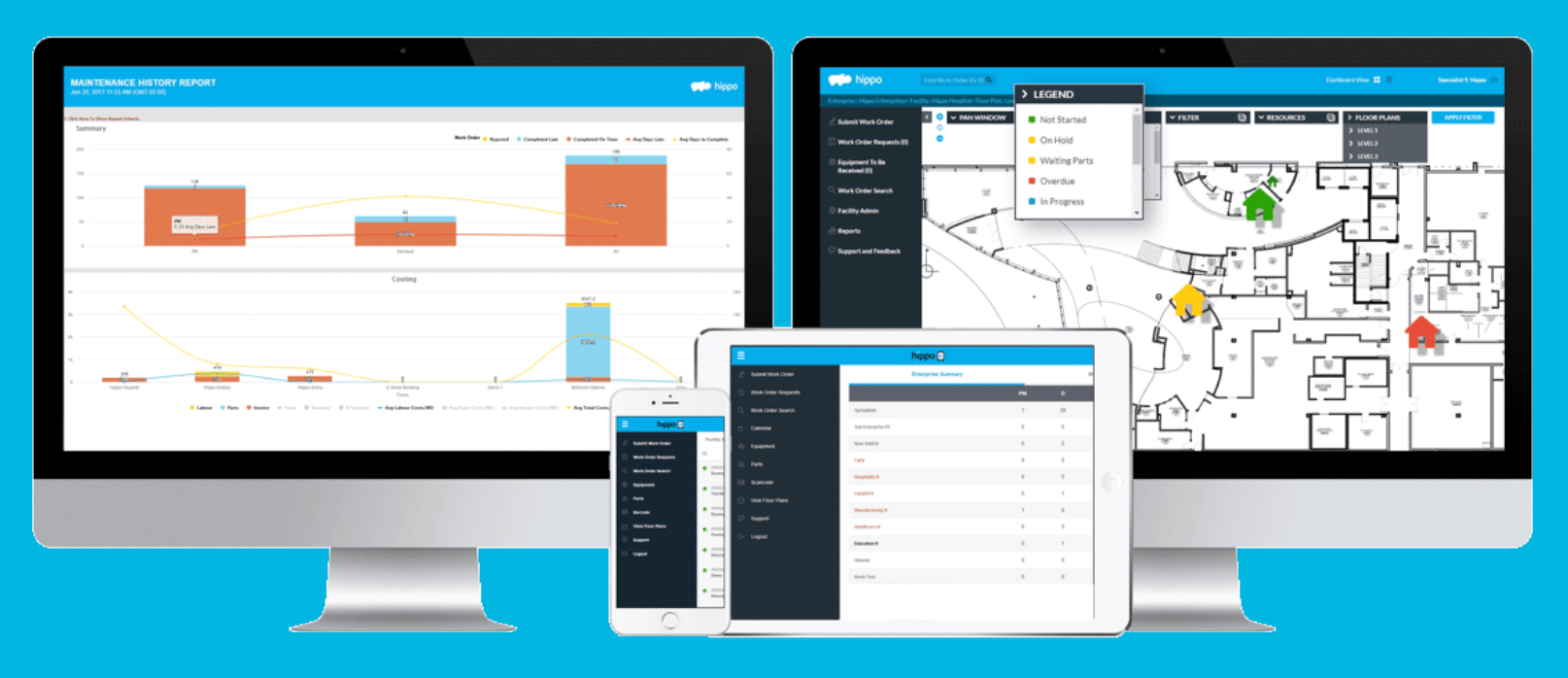
The list goes on and on. For such an extensive feature list, the software is surprisingly easy to use, for technicians and admins alike. Pricing for MicroMain is a bit unique compared to other platforms we’ve seen. Admin licenses start at $89, and technician licenses start at $39. So your total price will depend on the size and structure of your team. Contact the MicroMain sales team for a free quote and try it free for 14 days. #6 – Hippo CMMS — Best Web-Based CMMS• Work order management With just 1,300 customers, Hippo CMMS is not necessarily the most popular solution on the market today. But if you’re looking for an easy-to-use web-based CMMS, this will be a top choice for you to consider. Even though the customer list is relatively small, those customers are managing over 11,000 facilities and 32,000+ active users.
Hippo CMMS is an all-in-one maintenance management solution. You’ll benefit from features like:
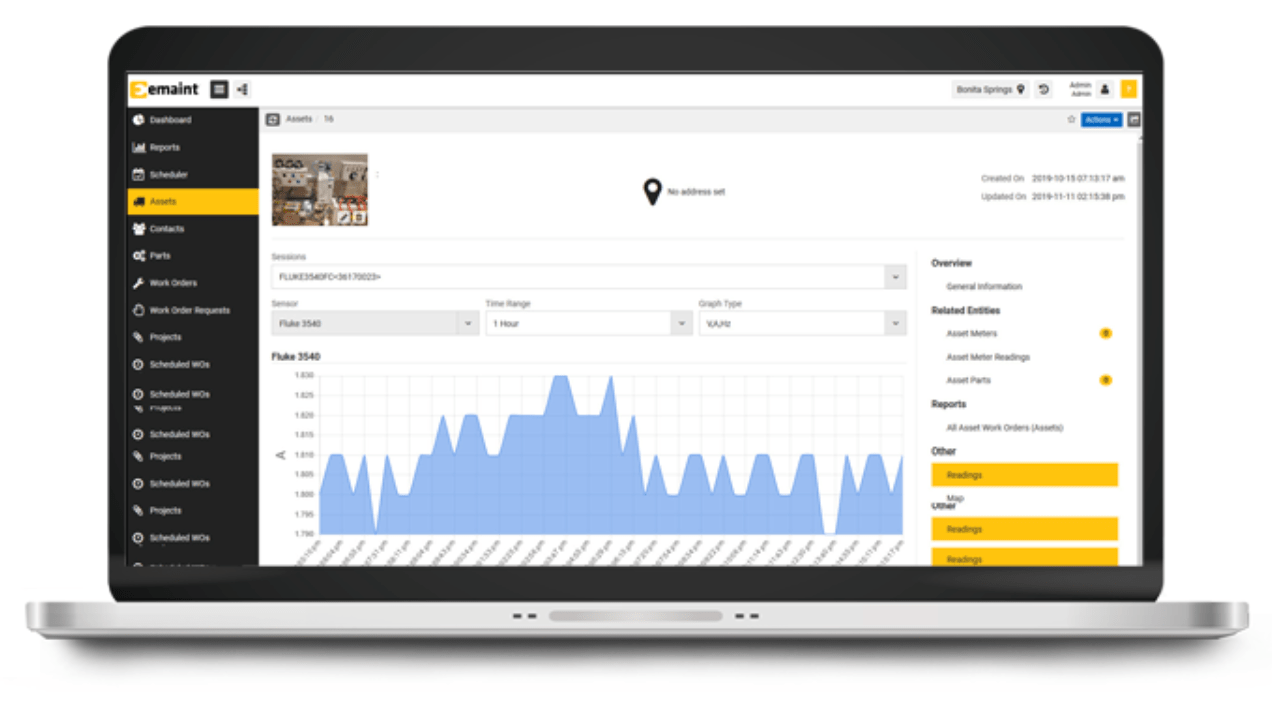
Your team doesn’t need to be tech-savvy to use Hippo CMMS. The web-based deployment and simple interface make it easy for anyone to figure out. Compared to other platforms that we’ve reviewed, Hippo CMMS does lack some of the asset tracking features that you’d normally see in this category. The pricing for Hippo CMMS is not available online. You’ll need to fill out a quick form field with more information about your industry to get started. Try Hippo CMMS free for 14 days. #7 – eMaint — Best CMMS Software For Scalability• Starts at $33 per user More than 50,000 users across the globe trust eMaint, making it one of the most popular CMMS tools on the market today. It’s commonly used by businesses within industries like manufacturing, facilities, food and beverage, warehouses, oil and gas, fleet maintenance, healthcare, and more. eMaint has robust tools for enterprise asset management (EAM), in addition to the CMMS features. The software is easy to configure, so you can customize everything to accommodate the needs of your organization.
The software is built to scale. As your business grows with new team members, departments, locations, and assets, eMaint will grow with you. Top features of eMaint include:
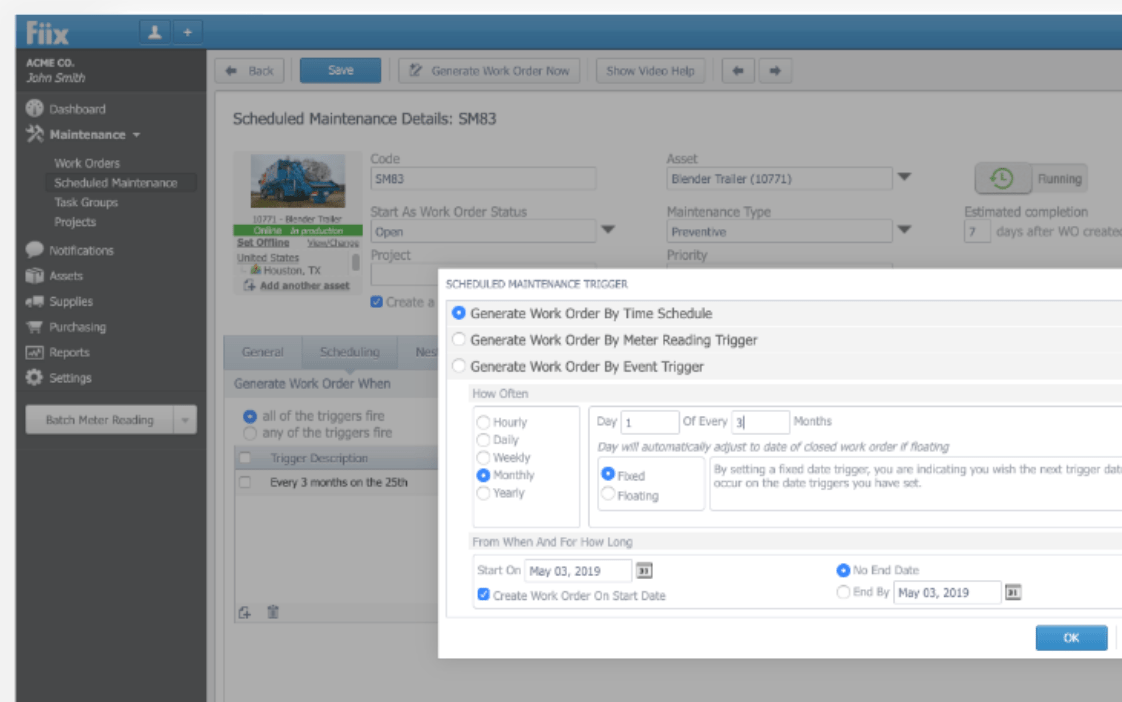
Pricing for eMaint starts at $33 per user per month. There is a three-user minimum with the entry-level plan. For advanced features and over three users, the pricing jumps to $85 per user per month. Enterprise rates start at $120 per month. Try eMaint free for 15 days. #8 – Fiix — Best For Simple Work Orders• Free for up to 3 users Fiix is designed to simplify maintenance management and improve productivity within organizations. It’s a top solution for businesses that don’t need complex features for CMMS. The core features of Fiix are work order management, asset management, parts and supplies management, and reporting.
Fiix has a free plan for up to three users that comes with essential features like work order creation, preventative maintenance management, asset hierarchies, and more. You’ll be able to access all of these features from a desktop or mobile device. Here’s a quick overview of the paid plans:
For small and large teams alike, Fiix is an affordable and simple way to manage work orders and assets. But if you’re looking for the most robust and feature-rich solution on the market today, Fiix probably isn’t for you. Get one month free when you sign up for annual billing. How to Find the Best CMMS Software For Your BusinessWith so many outstanding CMMS solutions on the market today, finding the best one for your business and unique situation can be challenging. Generally speaking, there is no “best for everyone” software. There are certain factors that you need to look for when you’re evaluating and shopping around for CMMS software. This is the methodology that I used to pick the winners on our list. I’ll explain these elements in greater detail below, so you can find the best software for your needs. Core FeaturesFor the most part, you should only consider using CMMS software that includes features for things like asset management, work order management, predictive maintenance, and preventative maintenance. Basic users and smaller teams might only need a solution for work order management. It’s important that the core features of the software you’re evaluating align with the goals of your organization. What is the primary reason you’re seeking a CMMS solution? Those needs must be addressed. Additional FeaturesSome software will go above and beyond basic or essential features. In addition to the benefits mentioned above, look for features like:
These are just a handful of examples out of the dozens of benefits associated with CMMS software. In many cases, the features your organization needs will depend on your industry type and assets you’re managing. Ease of UseThink about the end-users who will be dealing with the CMMS solution on a regular basis. In addition to your administrators and managers, the software will mostly be used by technicians and field service workers. It’s important that your staff can use this software without having to deal with a significant learning curve. Otherwise, you won’t get the full benefits out of the solution if it adds time and headaches to the schedules of your technicians and maintenance team. Business SizeBusinesses of all shapes and sizes can benefit from CMMS software. From small teams of three managing a single site to enterprises with tens of thousands of assets across hundreds of locations, there’s a solution for everyone. With that said, different team sizes will obviously have varying needs. In most cases, CMMS software with advanced features for things like EAM are designed for larger teams. Small businesses might even be able to get away with a basic or free plan for work order management. PriceThe price of CMMS software ranges from free to $100+ per month. Obviously, the price will have a direct correlation to factors like features and team size. However, the pricing structure for CMMS software varies across the board. Some platforms charge a flat rate for unlimited users. Others charge you on a per user basis. We’ve even seen some solutions with different per-user pricing based on the type of user (admin vs. technician). So it’s important for you to understand the pricing structure of a solution before you sign up. Keep an eye on the fine print for things like contract length and user minimums. ConclusionWhat’s the best CMMS software on the market today? It depends on what you’re looking for. MaintainX is our top overall recommendation. But it’s not for everyone. For businesses that want a free, simple, or web-based solution, consider software like Maintenance Care, Hippo CMMS, or Fiix. UpKeep has the best CMMS mobile app that we’ve seen. MicroMain is the most feature-rich out of the box. If you’re looking for software that will scale with your growing team, try eMaint. For larger organizations and enterprise asset management, we recommend Limble CMMS. Regardless of your industry, business size, or needs, you can use this guide to find the best CMMS software for your unique circumstances. I made sure to include something for everyone. Social Media via Quick Sprout https://ift.tt/UU7LJr June 12, 2020 at 04:12PM
0 Comments
Leave a Reply. |
Amazing WeightLoss Categories
All
Archives
November 2020
|

 RSS Feed
